.gif)


Are you offering STEM students practical training opportunity? Do you track training requirements for all those students as per the ICE regulations?
ICE requires STEM OPT students and employers to complete Form I-983, which outlines the student’s learning objectives and the employer’s commitment to supporting them. These requirements apply to employers providing STEM OPT training opportunities to eligible F-1 students. However, many organizations fail to properly document training plans, track reporting obligations, or monitor material changes, which can increase compliance risks.
This article intends to give you a detailed view of who STEM OPT students are, and how their I-983s should be completed.
CPT, OPT and STEM OPT for F-1 Students
International students in the US can gain on-the-job learning experience by participating in the training opportunities provided by the country.
- Curricular Practical Training (CPT) : program allows F-1 visa students with an F-1 visa to gain on-job experience directly related to their major. A student must complete the CPT program before graduation. One can take part in either part-time (20 hours or less a week) or full time (20 hours or more a week) CPT. However, if a student works full-time for 12 months in CPT, they will be ineligible for OPT.
- Optional Practical Training (OPT): program allows international students with an F-1 visa to work up to 12 months in relation to their major of study. A student can take part in OPT program after completing their first academic year. OPT can be completed both during or after completing the studies, but a student can work only for 12 months under OPT program.
What is STEM OPT?
STEM OPT is a 24-month extension of post-completion Optional Practical Training for eligible F-1 students who earned a qualifying degree in science, technology, engineering, or mathematics. The training opportunity must be directly related to the student’s qualifying STEM degree.
To participate in STEM OPT, the employer must be enrolled in E-Verify, remain in good standing with E-Verify, and have an Employer Identification Number (EIN). The student and employer must also complete and sign Form I-983 before the Designated School Official (DSO) can recommend the STEM OPT extension in SEVIS.
The STEM OPT requested period generally begins the day after the student’s current post-completion OPT EAD expires and continues for 24 months.
Did you know that STEM OPT employers must be enrolled and in good standing with E-Verify and must have an EIN?
Form I-983 for STEM OPT Students
Form I-983, Training Plan for STEM OPT Students, is used to document the student’s STEM OPT training opportunity, learning objectives, supervision structure, employer commitments, and evaluation process.
The form must be completed and signed by the student and the employer before the DSO recommends the 24-month STEM OPT extension. It should clearly explain how the role relates to the student’s qualifying STEM degree, what skills or knowledge the student will gain, how the employer will supervise the training, and how the student’s progress will be measured.
The employer must also attest that it has sufficient resources and personnel to provide the training, that the STEM OPT student will not replace a full-time or part-time U.S. worker, and that the opportunity will help the student achieve the stated training goals.
DHS/ ICE may conduct site visits to verify the employer has the ability and resources to provide structured, guided work-based learning consistent with Form I-983. DHS normally gives 48 hours’ notice, except in complaint/evidence-based cases.
Form I-983 includes multiple sections each of which comes with a defined set of instructions.
- Section 1: Student Information
- Section 2: Student Certification
- Section 3: Employer Information
- Section 4: Employer Certification
- Section 5: Training Plan Information
- Section 6: Employer Official Certification
- Evaluation(s) on Student Progress
Here's a step-by-step guide in the completion of Form I-983 as per the ICE guidelines.
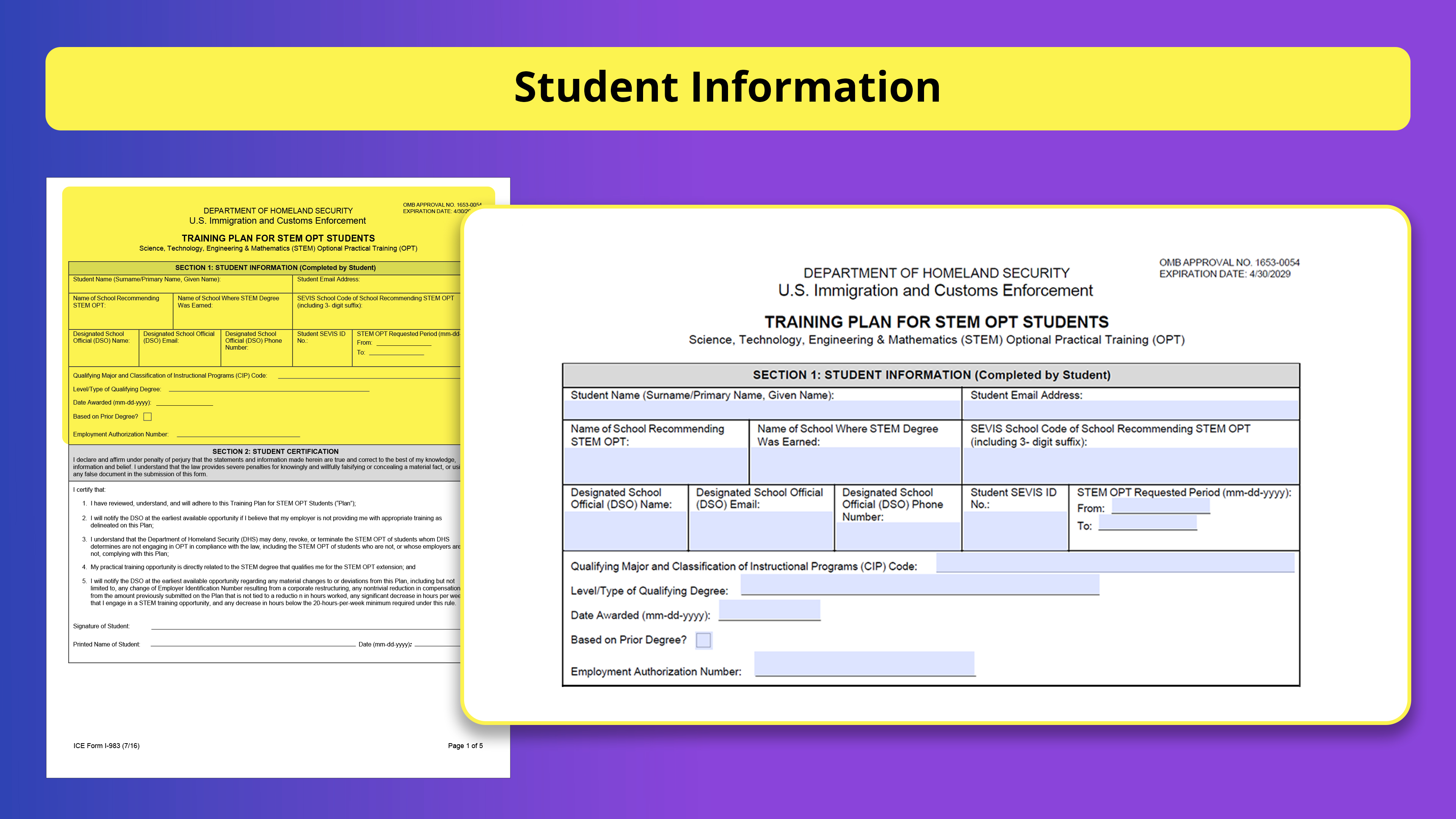
Section 1: Student Information
Section-1 includes Student Information and should be completed by the student.
- Student Name: Provide the full name exactly as it appears on your I-20 and SEVIS record
- Student Email Address: Provide the Email address
- Name of School Recommending STEM OPT: Provide the name of the school from which the DSO is recommending the STEM OPT
- Name of School Where STEM Degree Was Earned: Name the school from which the STEM degree is earned.
- SEVIS School Code: provide the SEVIS code of the school along with the suffix
- DSO Name and Contact Information: Provide full details of the DSO who is recommending the STEM OPT
- Student SEVIS ID Number: Enter the SEVIS ID number found on the Form I-20
- STEM OPT Requested Period: Enter the period for which the STEM OPT is requested. Typically, it can be from the day after OPT expiry to 24 months later.
- Qualifying Major and CIP Code: Enter the name of your major and the Classification of Instructional Programs code (CIP code)
- Level of Qualifying Degree: Enter the degree type on which the STEM OPT is based (Bachelor’s, Master’s, or Ph.D.)
- Date Awarded: Enter the date when the qualifying STEM degree was awarded, usually as reflected on the student’s transcript or school record.
- Based on Prior Degree?
Check “Yes” if your STEM OPT is based on a previously-obtained U.S. STEM degree, and is not the same degree upon which your current OPT was granted.
Check “No” if your STEM OPT is based on your most recently obtained degree, and that is the degree upon which your current OPT is based. - Employment Authorization Number: Enter the “A” number found on your Employment Authorization Document (EAD card).
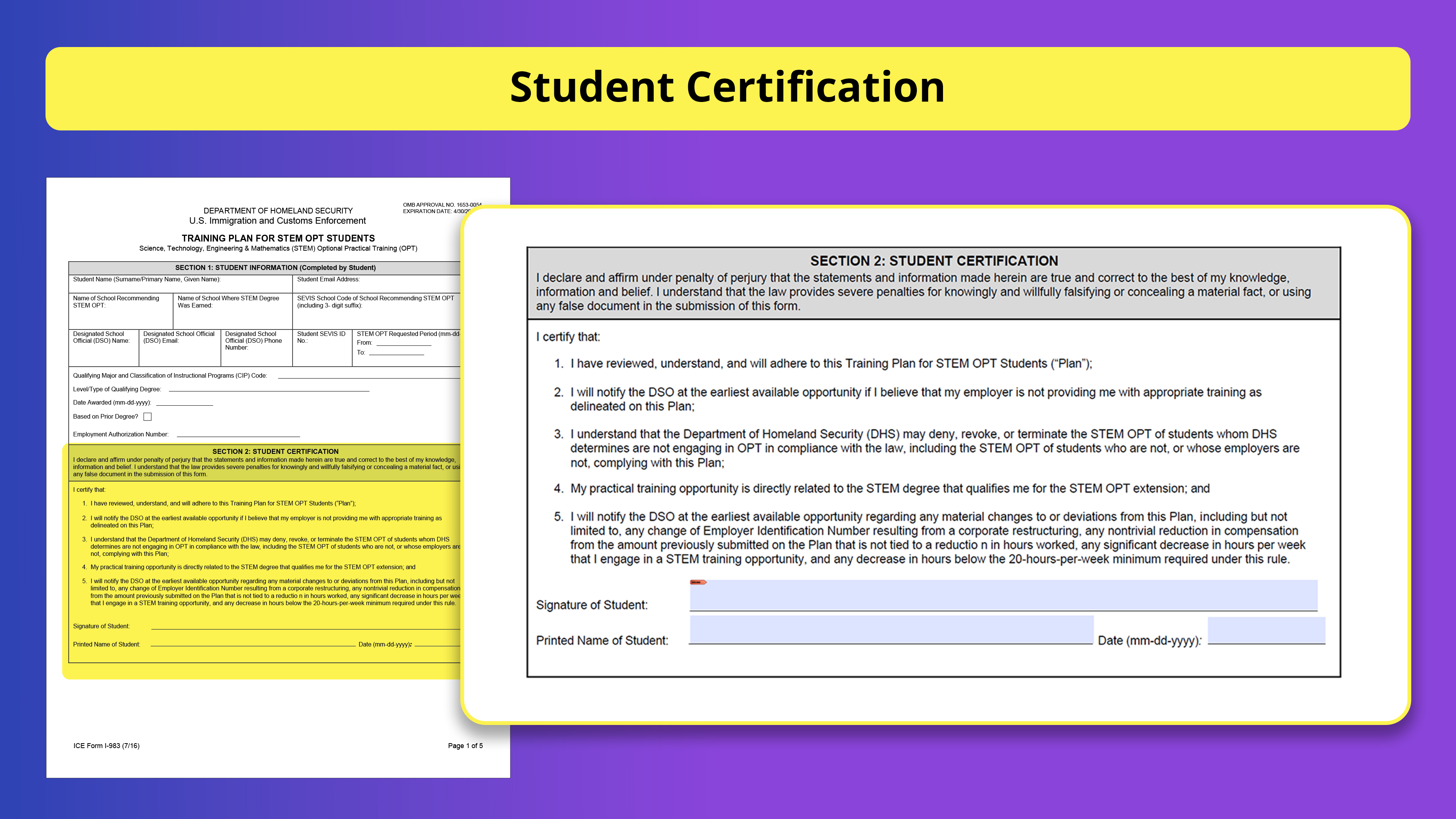
Section 2: Student Certification
Student should review the information and should affirm by signing this section
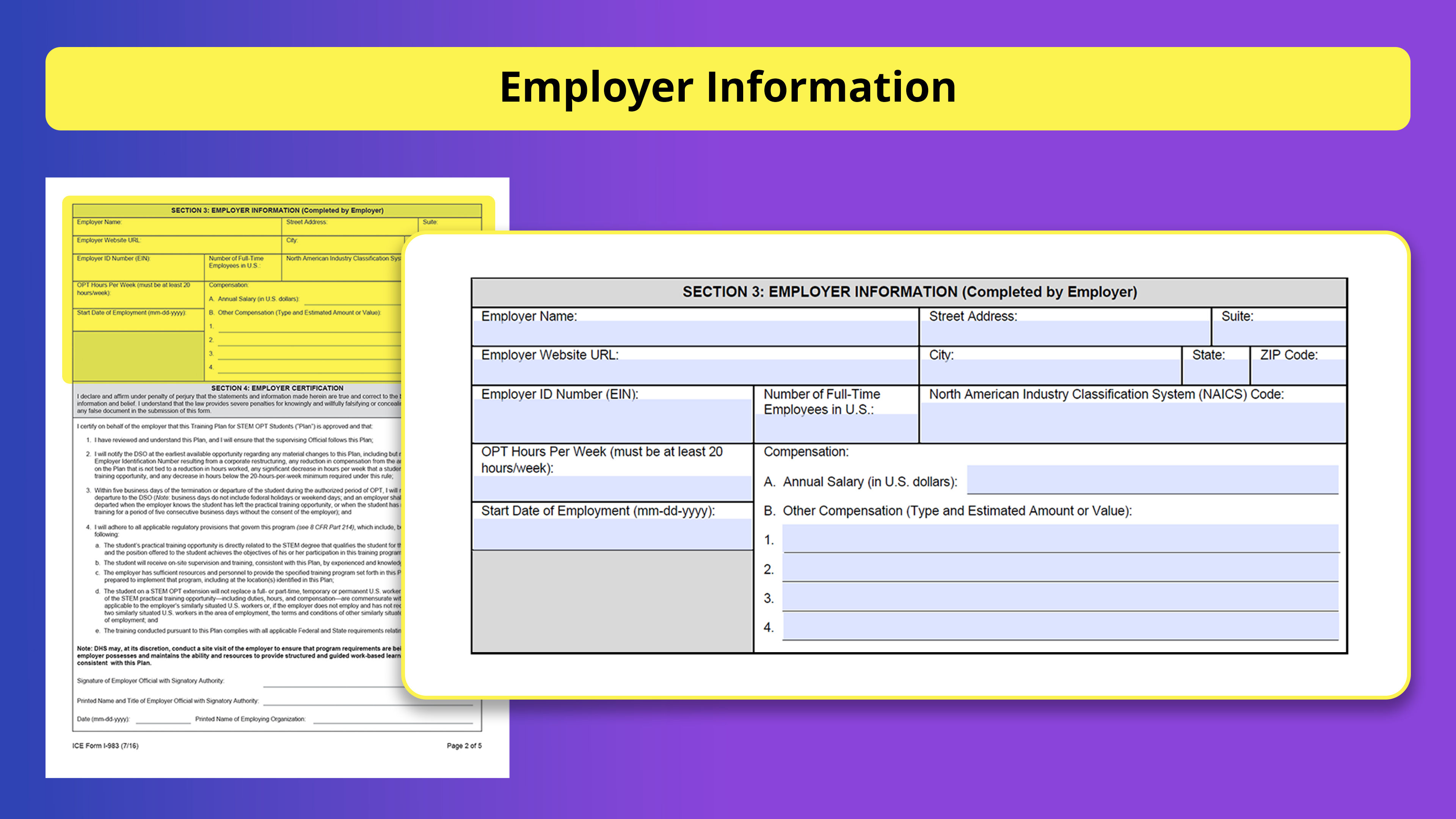
Section 3: Employer Information
As an employer, it is your responsibility to complete this Section-3 which includes Employer Information.
- Employer Name: Enter the name of your company
- Employer Address: Provide mailing address of the company.
- Employer Website: Provide your company’s URL. You can enter N/A if no website exists.
- Employer ID Number (FEIN): Enter your Employer Identification Number (EIN)
- Number of Employees: Include the number of full‐time employees working in the US.
- North American Industry Classification System (NAICS) Code: Provide your company’s NAICS code.
- OPT Training Hours Per Week: Provide training hours per week. It must be a minimum of 20 hours per week
- Start Date of Employment: Enter the date on which the student will begin the STEM OPT training with your company
- Compensation: This section must include the total salary and the frequency of pay (per hour, week, bi‐weekly, monthly, annually) and all other forms of compensation (signing bonuses, stock options, 401K contributions, insurance offerings, housing, tuition waivers, transportation reimbursements, etc.)
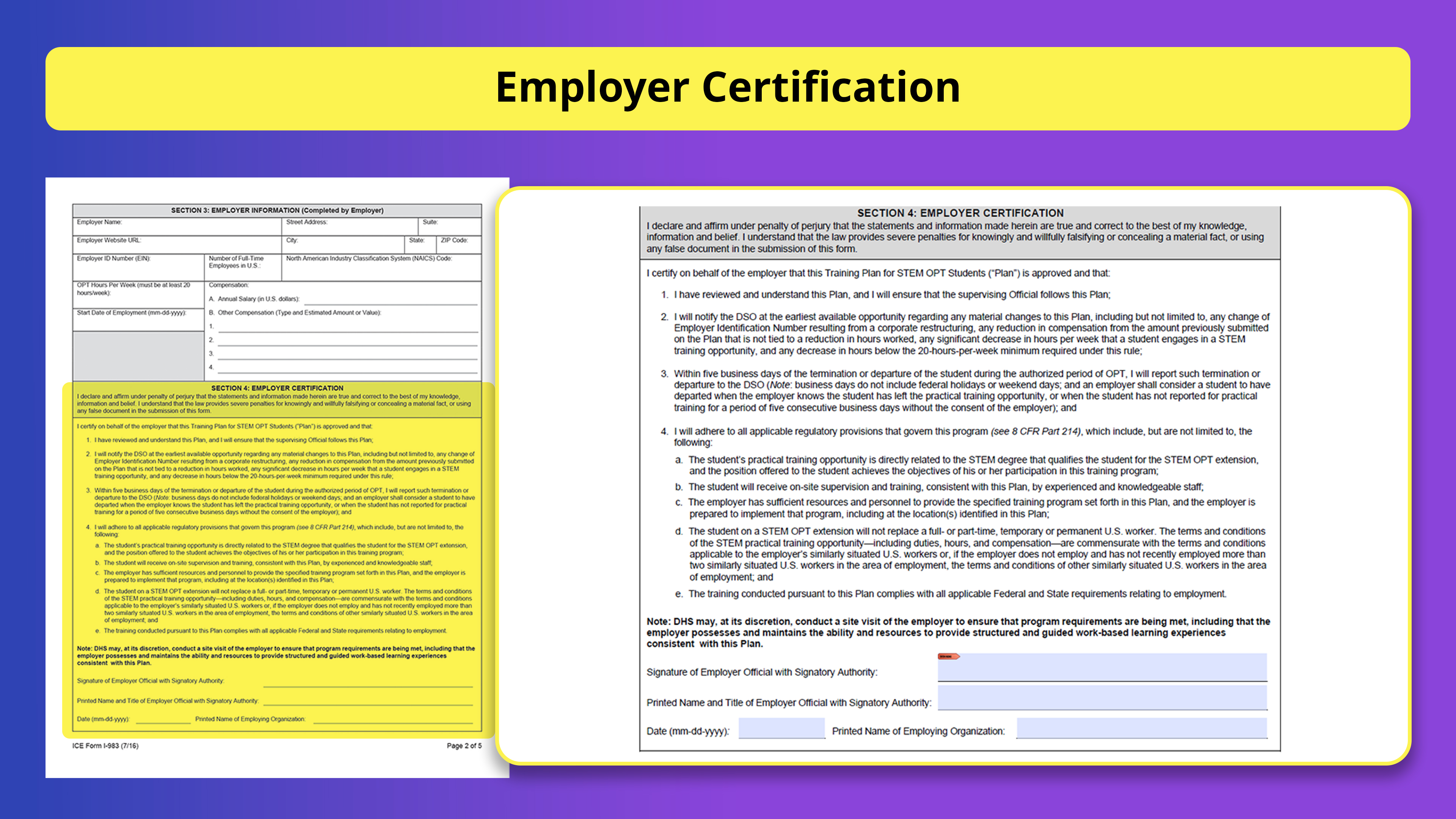
Section 4: Employer Certification
Employer should review this section carefully and should affirm the statements by signing and dating the section.
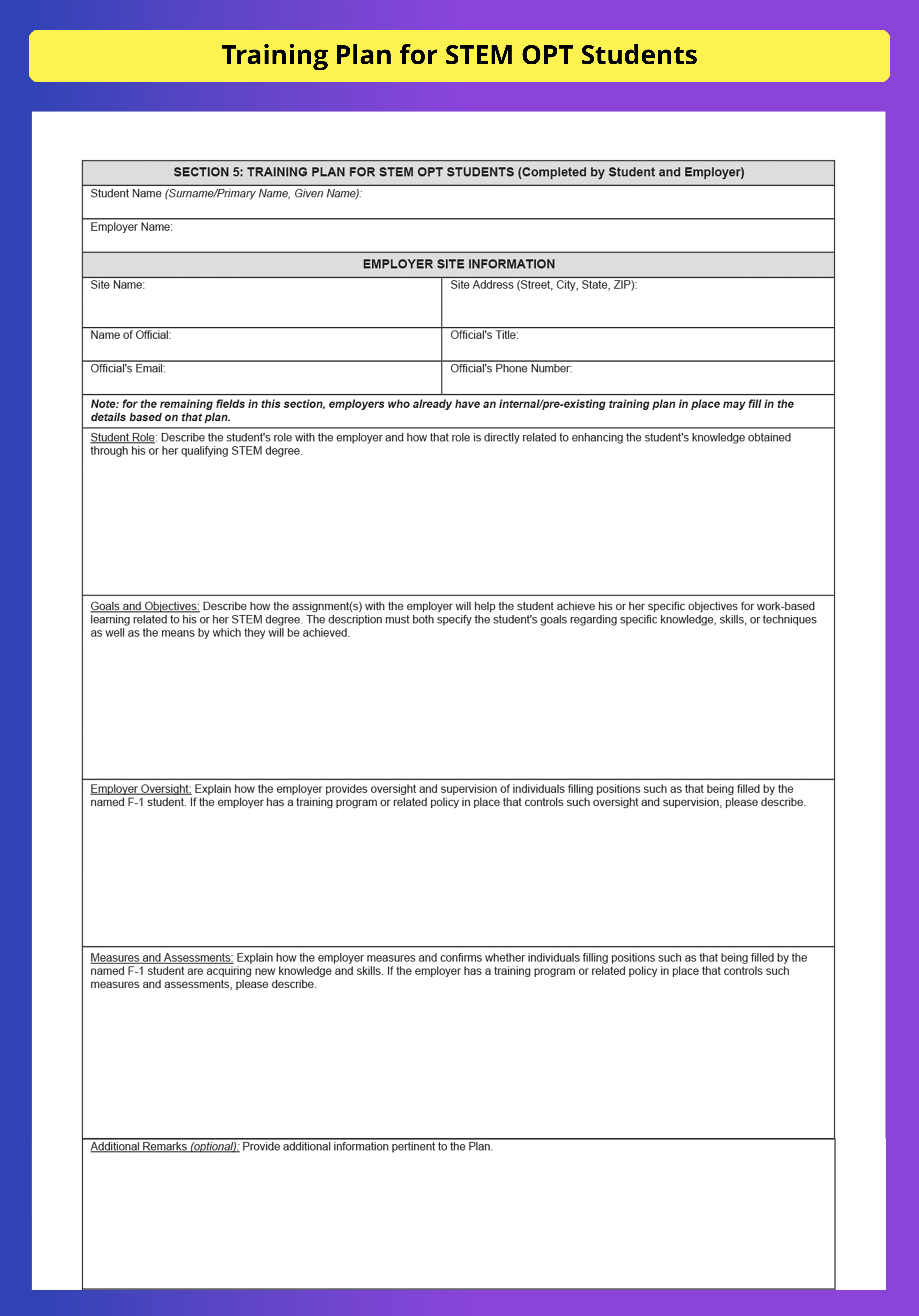
Section 5: Training Plan for STEM OPT Students
In order to ensure the benefits and integrity of the STEM OPT program, DHS mandates the student and their employers to finalize a training plan which defines the student’s objectives and a plan for executing those objectives.
- Student Name: Enter the student’s name (last name, first name) as it appears on the I-20 and SEVIS record
- Employer Name: Enter the full legal name of your company
- Site Name: Enter the name of the location where the student will be engaged in training
- Site Address: Enter the company’s address where the student will be engaged in training
- Name of Official: Enter the name of the official at the company who will monitor the student’s goals and performance. This may or may not be the same Employer Official as in Section 4.
- Official’s Title: Enter the title of the person at the company who will monitor the student’s goals and performance.
- Official’s Email: Enter the email of the person who will monitor the student’s goals and performance.
- Official’s Phone Number: Enter the phone number of the person who will monitor the student’s goals and performance.
- Student Role and the Training Program’s Direct Relationship to the Student’s Qualifying STEM Degree: Describe what tasks and assignments the student will carry out during the training and how these relate to the student’s STEM degree. The plan must cover a specific span of time, and detail specific goals and objectives.
- Goals and Objectives: Describe the specific skills, knowledge, and techniques the student will learn or apply; how the student will achieve the goals set out for his or her training; and the training curriculum including the timeline.
- Employer Oversight: Explain how the employer provides oversight and supervision of individuals filling positions such as that being filled by the named F‐1 student. If the employer has a training program or related policy in place that controls such oversight and supervision, a description of this program or policy may suffice to answer the question.
- Measures and Assessments: Explain how the employer measures and confirms whether individuals filling positions such as that being filled by the named F‐1 student are acquiring new knowledge and skills. If the employer has a training program or related policy in place that controls such measures and assessments, a description of this program or policy may suffice to answer the question.
Section 6: Employer Official Certification
Employer who is familiar with the student’s goals and responsible for supervising the student during the employment period should review the information and sign this section.
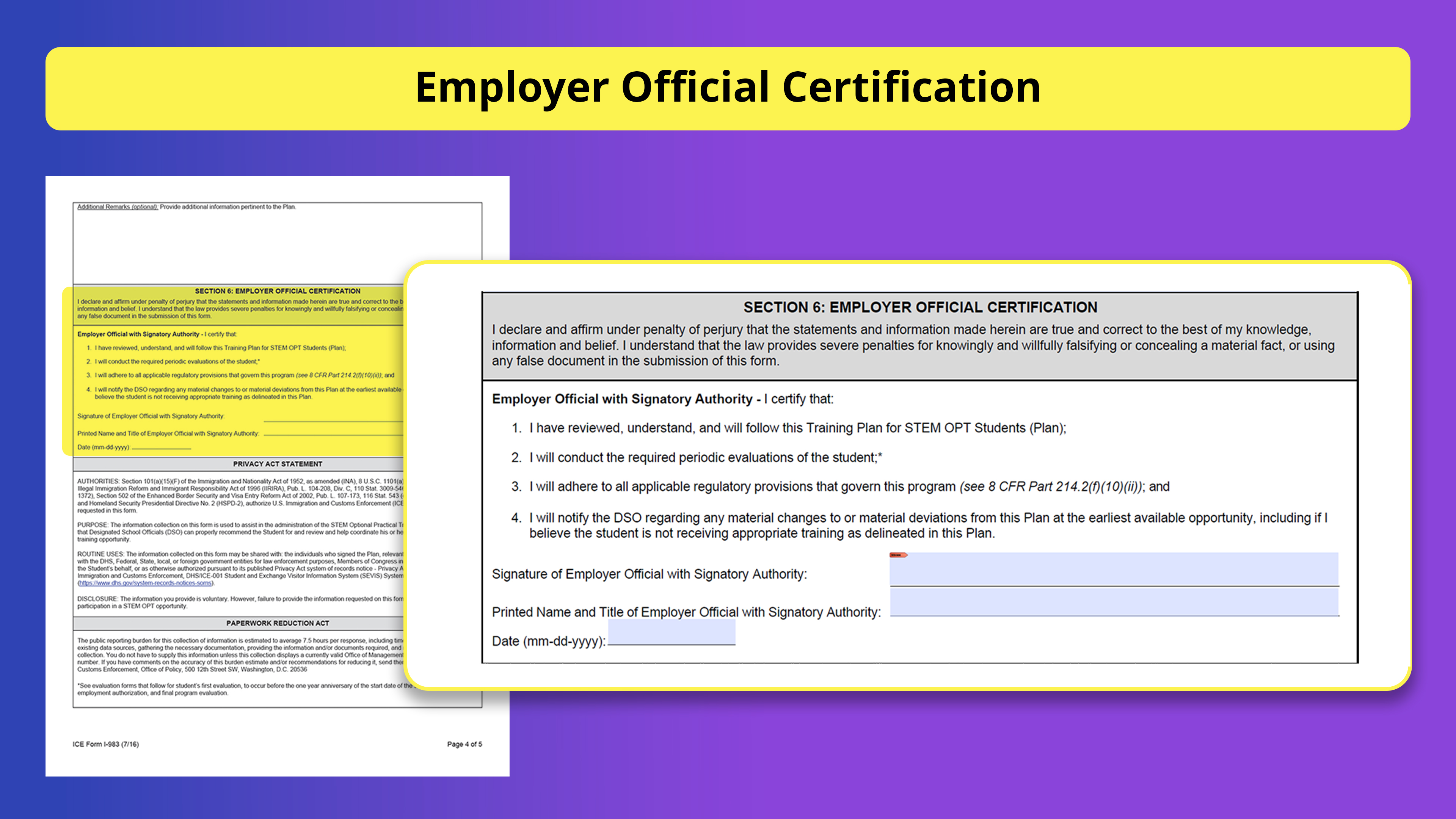
Note: The individual who signs this Certification need not be, but can be, the same individual who signed the Employer Certification in Section 4
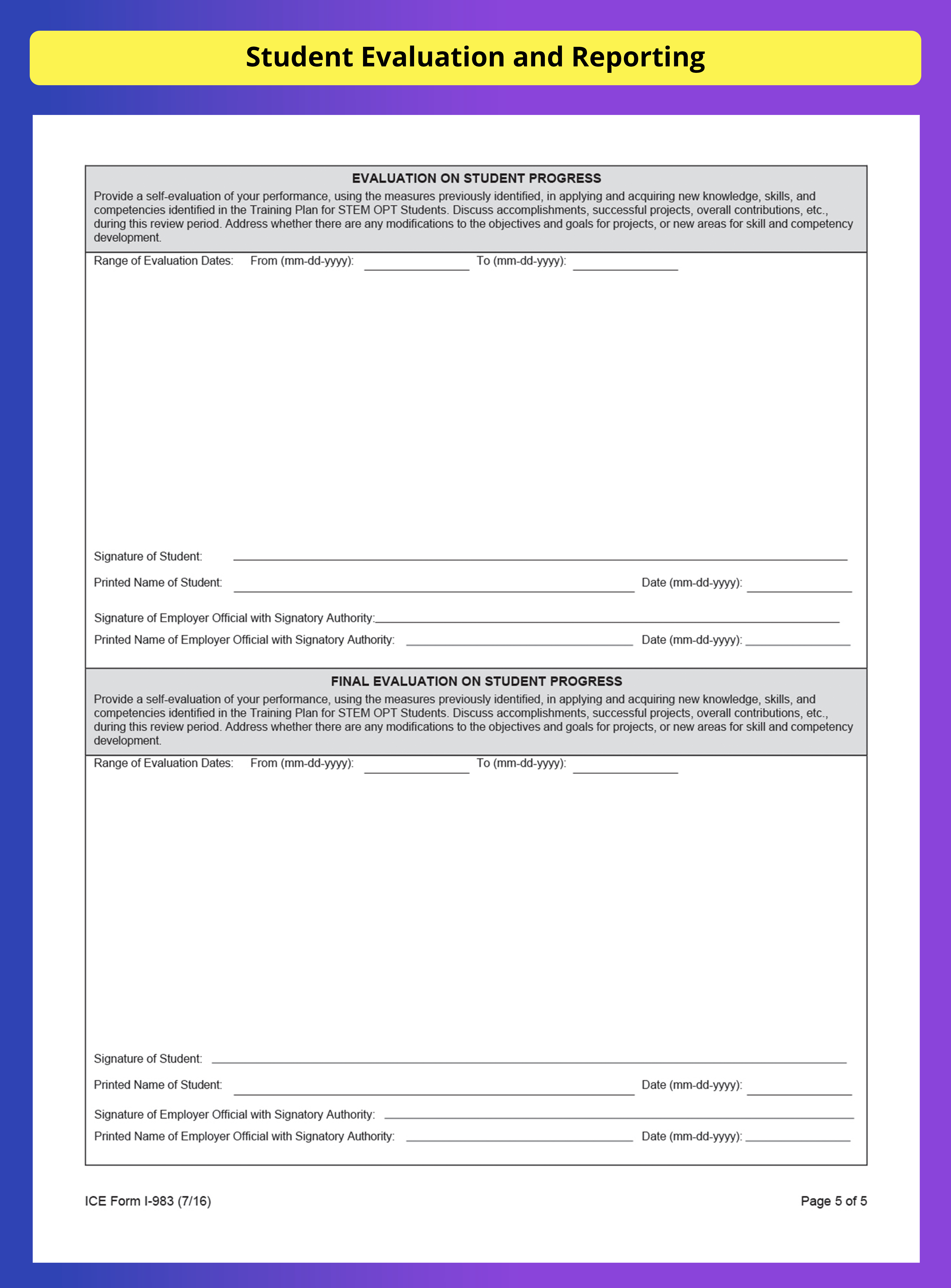
Evaluation on Student Progress
STEM OPT students must complete required self-evaluations to document progress toward the goals listed in Form I-983.
Student evaluations should be completed at the following times:
- The initial evaluation is due within 12 months of the approved STEM OPT start date
- Final evaluation is due at the conclusion of the training opportunity.
- Provide the start and end dates for the first 12 months of STEM OPT training period.
Upon completing the evaluation, student should sign, print name, and enter the date of signature. Upon completion of the review, employer should also sign, print name, and date the signature in acceptance with the evaluation submitted by the student.
Note: The student is responsible for ensuring that the DSO receives the 12-month evaluation and the final evaluation no later than 10 days after the relevant reporting period or conclusion of the practical training opportunity.
Submission of Form I-983 to the DSO
Once the student and the prospective employer complete and sign the Form i983, it should be submitted to the DSO by the student. The DSO must review the form to ensure its completion.
The DSO is also responsible for keeping the Form I-983 and self-evaluations in the student’s record. The student must submit the 12-month and final evaluations no later than 10 days following the conclusion of the appropriate reporting period. If in case, the training ends early, the student must submit the final evaluation within 10 days following the conclusion. The DSO may retain all evaluations in either electronic or hard copy, and these documents must be accessible within 30 days of submission to the DSO.
When Should a Modified Form I-983 Be Submitted?
Students and employers must sign and submit a modified Form I-983 when there is a material change or deviation, including:
- Change in employer or training site
- Change in EIN due to restructuring
- Significant reduction in compensation not tied to reduced hours
- Significant decrease in training hours
- Any decrease below 20 hours per week
- Change in role, training objectives, supervision, oversight, or assessment process
- Any change that makes the employer certification inaccurate
How does OnBlick help?
Most employers consider completion of Form I-983 as a challenging task, due to the complexity that persists in understanding the requirements. OnBlick’s Form i983 module can help you with that. It helps in electronic completion of the form, tracking material changes, and student evaluations. It guides employers and the students in completion of the form as per the federal guidelines and ensures readiness for ICE audits.
Compliance may seem daunting, but OnBlick makes it easier by keeping you audit-ready while supporting global talent. Book your OnBlick demo today.